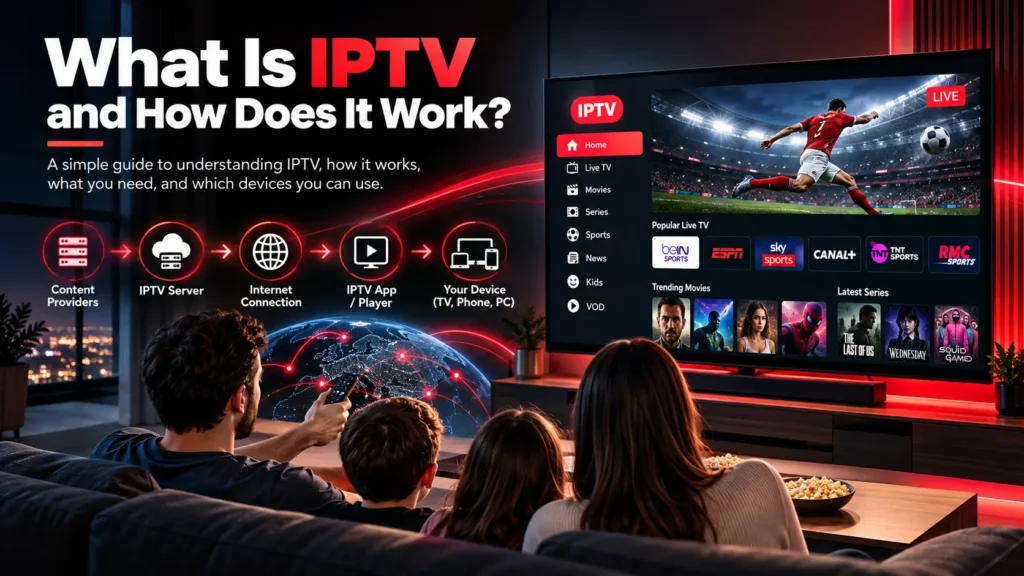
What is IPTV and how does it work?
IPTV for Beginners What Is IPTV and How Does It Work? Learn what IPTV means, how IPTV works, what you need to use it, which devices support it, and how it compares with traditional television. Quick Answer: What Is IPTV? What Is IPTV? IPTV stands for Internet Protocol Television. Instead of receiving television channels through traditional broadcast, satellite, or cable systems, IPTV delivers video content through an internet connection. Depending on the service, IPTV can provide live television, video-on-demand content, and other streaming options on compatible devices. Table of Contents What Is IPTV? How Does IPTV Work? What Can You Watch With IPTV? What Do You Need to Use IPTV? What Devices Support IPTV? How Do You Start Using IPTV? IPTV vs Traditional TV Common IPTV Terms Tips for a Better IPTV Experience FAQ 01. What Is IPTV? So, what is IPTV in simple terms? IPTV is a method of delivering television and video content using Internet Protocol networks. The same basic internet infrastructure used for websites and online services can also be used to deliver video streams. Traditional television often depends on satellite signals, cable networks, or terrestrial broadcasting. IPTV instead uses an internet connection to send requested video data to a compatible application or device. This makes IPTV flexible because viewers can access content through several different types of connected devices rather than being limited to one traditional television delivery method. 02. How Does IPTV Work? Understanding what is IPTV becomes easier when you look at how the streaming process works. When you select a channel or video, the IPTV platform processes your request and delivers the relevant stream through the internet. The general process can be simplified into several stages: 1 Content Source Television channels or video content are prepared for digital streaming. 2 IPTV Server The content is processed and made available through a streaming platform. 3 Internet Connection Video data travels through the internet to the viewer’s connected device. 4 Streaming App A compatible IPTV application receives the stream and displays the content. How IPTV content moves from a server to a compatible streaming device. The quality of the experience can depend on several factors, including internet speed, network stability, device performance, application quality, and the streaming source. Ready to Explore IPTV? If you understand what IPTV is and want to explore available subscription options, visit our IPTV subscription page to learn more. View IPTV Subscription WhatsApp Support 03. What Can You Watch With IPTV? Depending on the IPTV service and package, viewers may have access to different types of content. IPTV platforms can support both live and on-demand viewing. TV Live TV Watch available television channels through an internet connection. ▶ Video on Demand Access movies, shows, or other video content when available. SP Sports Some services may offer sports channels and sports-related programming. HD Different Qualities Available streaming quality can vary depending on the content and service. 04. What Do You Need to Use IPTV? If you are learning what is IPTV for the first time, the basic requirements are relatively simple. A reliable internet connection. A compatible streaming device. An IPTV application or compatible player. Valid IPTV service credentials when required. A suitable subscription or legally available content source. Your exact requirements depend on the IPTV service and the device you choose. Some applications may require a username, password, playlist URL, or another form of service configuration. 05. What Devices Support IPTV? One of the main advantages of IPTV technology is its compatibility with many modern internet-connected devices. IPTV can be accessed on many compatible Smart TV, streaming, mobile, and computer devices. Smart TVs Many Smart TVs support IPTV applications through their available app platforms. Fire TV Devices Compatible Fire TV devices can run supported IPTV and streaming applications. Android Devices IPTV applications are available for many Android phones, tablets, and TV devices. iPhone & iPad Compatible streaming applications can be used on supported Apple devices. Windows PC Computers can use compatible IPTV players and applications for streaming. Other Devices Compatibility depends on the application, operating system, and IPTV service. For a more detailed device guide, visit our IPTV Supported Devices page. 06. How Do You Start Using IPTV? Once you understand what is IPTV, getting started generally involves choosing a compatible service, selecting a suitable device, and configuring the appropriate application. Step 1: Choose a Compatible Device Decide whether you want to watch IPTV on a Smart TV, Fire TV device, Android device, iPhone, iPad, or computer. Step 2: Choose an IPTV Application Install an application that is compatible with your device and supports the connection method provided by your IPTV service. Step 3: Add Your Service Information Depending on the platform, you may need to enter account credentials, a playlist, or another configuration provided by your service. Step 4: Start Streaming After configuration, you can browse the available content and start watching supported channels or on-demand content. 07. IPTV vs Traditional TV IPTV and traditional television use different methods to deliver content. The main difference is the network used to transmit the video. Feature IPTV Traditional TV Delivery Internet connection Cable, satellite, or terrestrial Internet Required Yes Not always Device Flexibility Many compatible devices Depends on provider On-Demand Content Often available Depends on provider 08. Common IPTV Terms IPTV Internet Protocol Television, a method of delivering video over IP networks. VOD Video on Demand, allowing viewers to select available video content. Playlist A file or URL containing information used by compatible IPTV players. Streaming Playing media while data is continuously delivered over a network. 09. Tips for a Better IPTV Experience Knowing what is IPTV is only the first step. Your actual streaming experience can also depend on your home network and device. Use a stable and reliable internet connection. Keep your streaming application updated. Restart your router if you experience temporary network issues. Use a wired connection when possible for compatible devices. Close unnecessary applications that may consume network resources. Make sure your streaming device has enough available